Have you ever wondered how search engines decide which parts of your website to crawl and which pages to skip? The answer lies in a simple but powerful file called robots.txt. If you’re just getting started or want to avoid common mistakes, this guide will walk you through everything you need to know about robots.txt for SEO. We’ll use examples, practical tips, and make this as clear as possible for beginners.
What is robots.txt?
Robots.txt is a plain text file stored at the root of your website (for example, www.yoursite.com/robots.txt). Search engines and other bots look for this file when they start crawling a site. Think of robots.txt as your website’s instruction manual for crawlers. It tells them what is off-limits and what is open to explore, helping you control which content ends up in search engine databases.
Why is robots.txt Important for SEO?

Robots.txt plays an essential role in search engine optimization (SEO). It helps you:
- Guide Search Engines to Your Most Important Content
Robots.txt tells search engine crawlers exactly which parts of your website to explore and index. This helps ensure that your high-value pages, like service descriptions, product pages, or blog content, get crawled frequently and rank well. Instead of letting bots waste their time on less important pages, you direct them to the content that matters most to your SEO strategy. - Prevent Crawlers from Accessing Private or Duplicate Pages
Many websites have areas not intended for public viewing or search listings, such as login pages, duplicate content versions, or staging sites. Robots.txt helps block these parts from bots, keeping your site clean in search results and protecting sensitive information from being indexed accidentally. - Protect Sensitive Data from Being Discovered
While robots.txt is not a security tool, it can stop search engines from indexing sensitive areas of your website, such as admin sections or internal documents. This reduces the chance of accidental exposure and keeps your site professional and secure. - Optimize Your Server’s Crawl Budget
Search engines allocate a crawl budget, meaning they crawl only a set number of pages during each visit. Efficiently managing this budget with robots.txt helps search bots focus on your valuable content, which improves crawl efficiency and boosts SEO performance on important pages. - Control How Crawlers Interact with Your Site if You Run a Large Site
Big websites often face challenges with duplicate content, search result clutter, and crawl overload. Robots.txt is essential in such cases for managing crawling rules at scale, ensuring bots visit the right pages to maximize your site’s SEO value. - Use SEO Spider Tools and Platforms Like Ahrefs Webmaster Tools to See Robots.txt Effects
Tools such as SEO spider software and Ahrefs webmaster tools help you visualize how search engines interpret your robots.txt file. These platforms detail which URLs are blocked and which are accessible, providing insights for improvements. Whether you hire an SEO company in Montreal or manage your SEO yourself, mastering robots.txt with these tools is essential to ensuring your site performs well in search.
SEO spider tools and handy platforms like Ahrefs Webmaster Tools can quickly show you how search engines view your site by referencing your robots.txt file. Whether you’re partnering with an internet marketing agency or handling your own SEO, getting familiar with robots.txt is a must.
How Does robots.txt Work? (Crawling vs. Indexing)
Understanding robots.txt requires knowing the difference between crawling and indexing. Crawling is when search engines discover and check out your pages. Indexing is when the content actually gets saved in their database so it can show in search results.
A common beginner mistake is thinking robots.txt can keep pages out of search entirely. In reality, it only blocks crawlers from visiting specific pages; it does not prevent those URLs from appearing in search results if they’re linked from somewhere else online.
Basic robots.txt Syntax and Examples
A robots.txt file consists of simple directives for user-agents (crawlers):
User-agent: Googlebot
Disallow: /private/
Allow: /public/
- User-agent: The crawler you want the rule to apply to (like Googlebot, Bingbot, or Ahrefs webmaster tools)
- Disallow: The pages or folders you want to block
- Allow: The parts you want to let bots crawl
You can have rules for all crawlers by using User-agent: or set rules for specific ones.
Setting Up Your robots.txt File: Step-by-Step
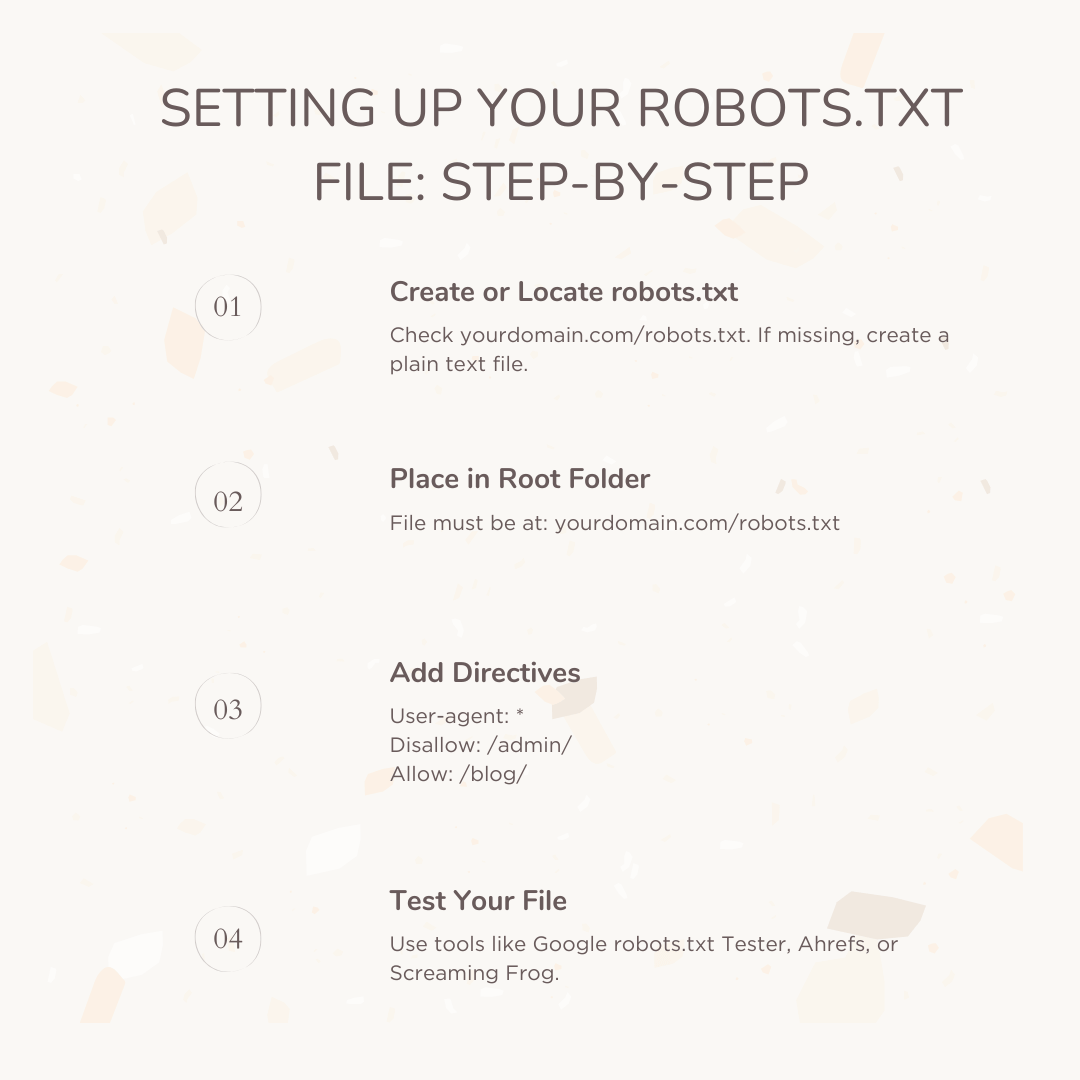
1. Find or create robots.txt
Check if you already have a website robots.txt file. Just go to your site and add /robots.txt to the end of the domain. If it’s missing, create a new plain text file using any text editor.
2. Place robots.txt correctly
Upload it to the root directory of your website. Example: www.example.com/robots.txt.
3. Write Your Directives
Decide which search bots and what content you want to control. Here’s a general example:
text
User-agent: *
Disallow: /admin/
Allow: /blog/
This setup blocks all crawlers from visiting the admin section while letting them access your blog.
4. Check and Test Your robots.txt File
Quality matters; a single typo can prevent search engines from accessing your whole site. SEO spider tools and online validators, like those from Ahrefs webmaster tools, can identify problems fast. Popular applications, such as the Screaming Frog SEO spider, even let you simulate crawls and review which URLs show as blocked.
Best Practices for robots.txt in SEO
- Keep your robots.txt file simple and organized
- Always specify the path starting at your site’s root
- Use a separate block for each user-agent if needed
- Avoid blocking CSS and JavaScript files unless absolutely necessary
- Don’t use robots.txt alone to stop indexing; use noindex tags for that
- Check your file regularly for errors and updates, especially after site changes
An internet marketing agency can audit your robots.txt and recommend improvements to boost results. If you use SEO crawling software and advanced Ahrefs api documentation, you can analyze how crawlers interact with your site and make changes efficiently.
Common Mistakes of Beginners
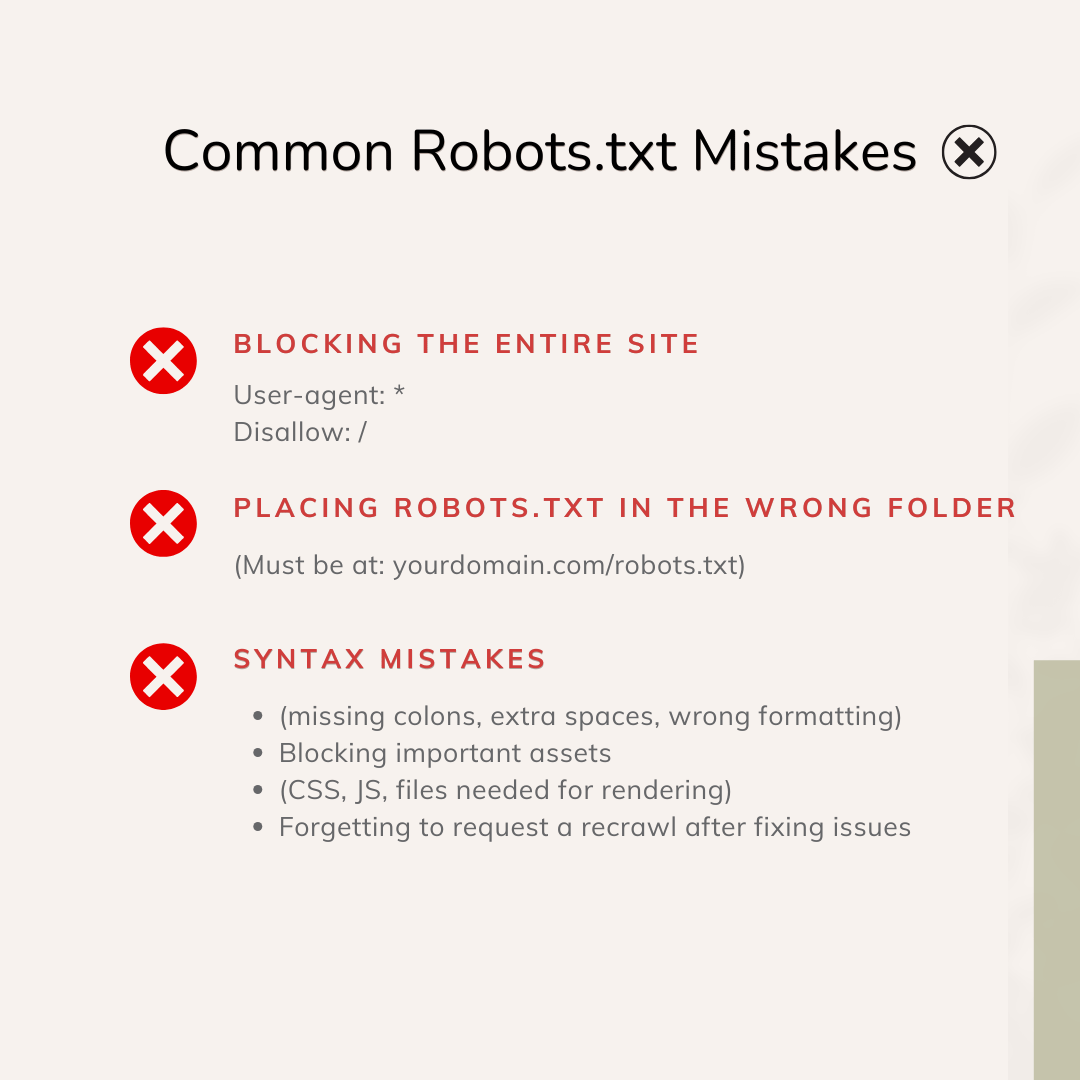
Even experienced webmasters slip up with robots.txt. Here are some classic errors:
- Accidentally blocking the whole website by using:
- text User-agent: * Disallow: /
- Incorrect file location (should be in your domain’s root)
- Wrong case sensitivity in paths
- Syntax mistakes (missing colons, extra spaces)
- Blocking search bots from critical assets like JavaScript and CSS
Don’t panic if you spot a mistake; correct your robots.txt file, and ask Google to recrawl it via Search Console. SEO people everywhere, from Montreal and beyond, have made and fixed these errors many times!
Not sure if your robots.txt is hurting your SEO?
Our experts analyze crawler access, blocked URLs, and crawl budget waste to ensure search engines focus on your most valuable content.
Advanced robots.txt Features
Crawl-delay
Some search bots let you ask them to slow down. For example:
text
User-agent: Bingbot
Crawl-delay: 10
Syntax can vary, and Google no longer supports crawl-delay, but others like Bing do.
Sitemap Reference
You can point bots to your sitemap:
text
Sitemap: https://www.yoursite.com/sitemap.xml
This helps direct bots to all essential pages.
Allowing SEO Tools and APIs
If you use tools such as Ahrefs Webmaster Tools for site audits or the Ahrefs api documentation, make sure these bots are allowed. For example:
text
User-agent: AhrefsBot
Allow: /
Checking your robots.txt with SEO spider tools can confirm that these crawlers aren’t blocked.
Robots.txt for E-commerce, Blogs, and Large Sites
Big sites have unique robots.txt challenges. If your website has lots of pages, duplicate product listings, or restricted user areas, you need to control what bots see and index. Here are some ideas:
- Block internal search results pages (Disallow: /search?)
- Prevent crawling of login or checkout pages
- Keep staging or test environments invisible (Disallow: /staging/)
SEO experts often tailor robots.txt rules for the specific needs of clients with complex sites. Using powerful SEO crawling and site audit tools helps to identify which pages are blocked and which might need better access.
Testing and Validating Your robots.txt File
Testing is vital. Before making changes live, use robots.txt testers included in SEO spider tools. For advanced testing, some platforms let you simulate the behavior of Googlebot or custom crawlers. This can help you:
- See at a glance which URLs are being blocked
- Spot syntax errors and warnings
- Confirm proper access for major bots and SEO tools (like those documented in Ahrefs api documentation)
Checking your robots.txt frequently is a habit that will pay off in better rankings and smoother site performance.
Robots.txt and AI and SEO: What You Need to Know?

Today, AI and SEO are more closely linked than ever before. The rise of generative search and AI-driven experiences is truly reshaping how search engines crawl, interpret, and rank websites. These advanced AI technologies don’t just influence content creation and keyword strategies, but also impact crawling dynamics. Your robots.txt file plays a critical role here, helping you manage not only Googlebot but also a growing number of AI crawlers and artificial intelligence applications. As these new AI bots emerge, each with its own behavior and capabilities, your robots.txt file becomes a key tool to control what they access or avoid on your site.
If you’re new to SEO, don’t be intimidated. Maintaining your robots.txt file effectively is manageable, especially if you lean on experts like your internet marketing agency. These agencies understand the rapidly evolving world of AI-driven SEO and can offer helpful tips for handling bots that might be unfamiliar to you. AI and SEO together are moving faster than ever, making it crucial to stay up-to-date with the latest best practices for managing robots.txt files.
Keeping your robots.txt file current means regularly auditing which crawlers are accessing your website and adjusting control rules accordingly. With AI technologies influencing search algorithms and bot behaviors, updates might sometimes be needed more often. Consultation with experts ensures you don’t miss important changes in bot technologies and helps your site remain optimized for both traditional crawlers and AI-driven ones.
In essence, robots.txt is no longer just a static file for restricting some paths. It is evolving into a dynamic gatekeeper that must adapt alongside innovations in AI and SEO. This makes regular monitoring and collaboration with marketing professionals vital to prevent unwanted crawling, secure sensitive data, and ensure your most valuable content gets the right visibility. The pairing of AI and SEO promises exciting advancements, but it also challenges website owners and marketers to master new tools and strategies, including effective robots.txt management.
How to Fix or Improve robots.txt?

If you discover robots.txt problems, here’s a simple process:
- Review your robots.txt file for errors using specialized tools such as Ahrefs Webmaster Tools or a reliable SEO spider. These tools can scan your site, identify which URLs are blocked, highlight syntax mistakes, and even show you if essential pages are inaccessible to search engine crawlers. This step is crucial to catch hidden issues that might stop your site from ranking well or sharing the right content with users.
- Correct the directives in your robots.txt file to ensure all critical areas, such as landing pages, product sections, and content hubs, are accessible to search engines. At the same time, make sure private, sensitive, or duplicate sections remain hidden by updating Disallow rules as needed. Validate your changes with the online validator in Ahrefs Webmaster Tools or a similar SEO tool to be confident there are no errors or typos that could cause bigger issues.
- Submit your updated website and robots.txt file for recrawling in Google Search Console. Use the « robots.txt Tester » feature to confirm that Google correctly interprets your current file, and then request a new crawl. Doing this gives Google the fresh instructions immediately rather than waiting for its next scheduled crawl.
- Wait for search engines to update their cache. While changes can sometimes be seen quickly, it may take a day or two for all updates to propagate across Google’s and other search engines’ systems. During this time, monitor your site’s crawl stats and indexing reports for any coverage issues or new warnings that can appear after making changes.
- For businesses with large, complex websites, an SEO agency might use Ahrefs api documentation to automate this entire review and correction process for big clients. Automating these checks means the agency can spot issues quickly, fix them before they impact rankings, and ensure a healthy crawling setup without having to do everything manually. This also means fewer missed problems and consistent monitoring as websites evolve or scale up.
Robots.txt for Beginners: Final Tips
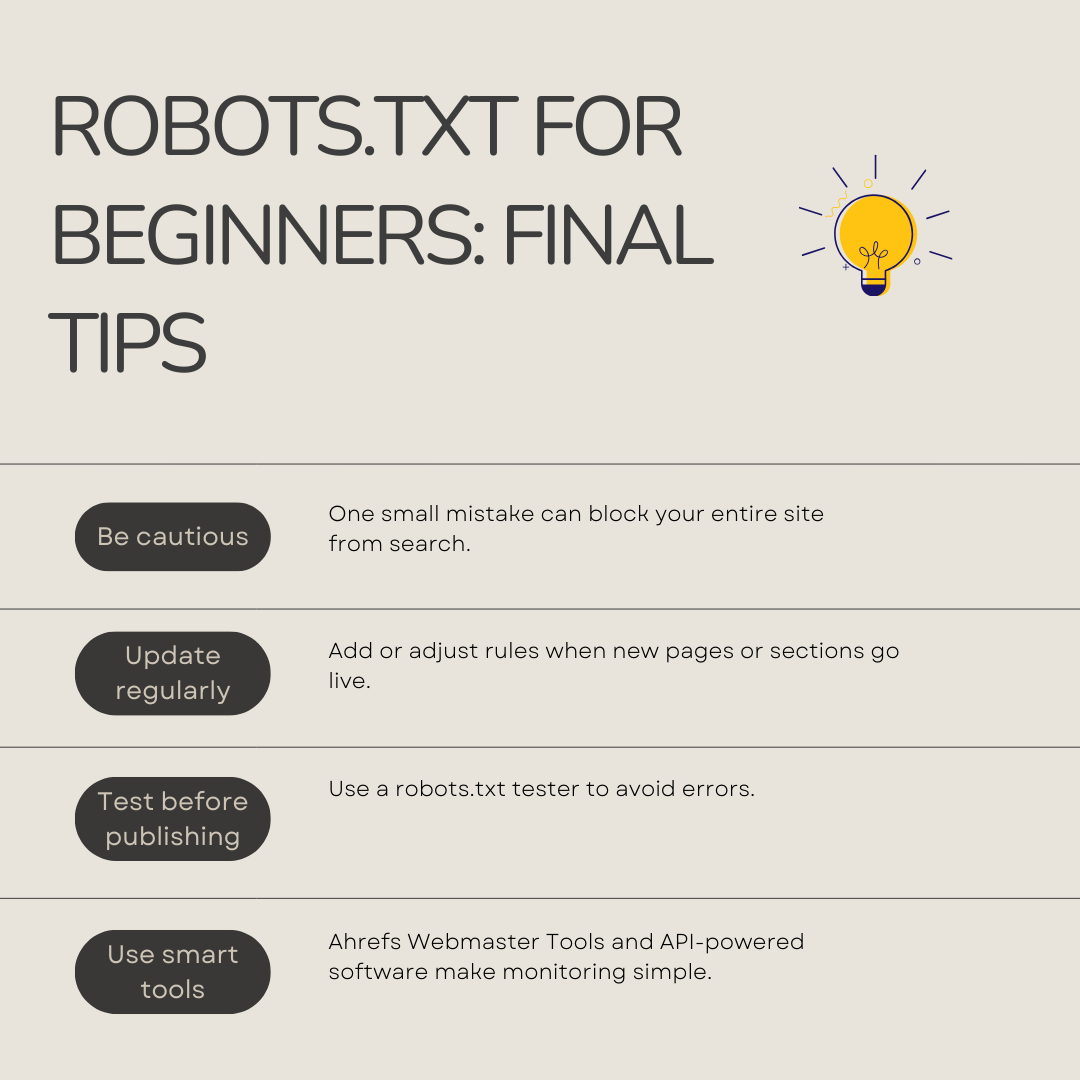
- Be careful: A single mistake can keep your site out of search engines
- Keep it updated: Add new directives when you launch new pages or sections
- Test first: Always use a robots.txt tester before going live
- Work with experts: If you get stuck, consult with your internet marketing agency
- Use smart tools: Platforms like Ahrefs Webmaster Tools and guided software with Ahrefs api documentation make setup and monitoring easy
Robots.txt is one of the simplest ways to take control of how your site appears in search results. Whether you’re using advanced SEO crawling tools, working with a team, or learning solo, mastering robots.txt is the first step to quality SEO.
Conclusion
Robots.txt is your website’s gatekeeper for web crawlers. Set it up right, and you’ll ensure both search engines and AI spiders find exactly what you want them to see. By using safe practices, leveraging tools like Ahrefs Webmaster Tools, and consulting with SEO experts, you’ll avoid costly mistakes and help your site reach more visitors. With a solid grasp of robots.txt, you can crawl, index, and succeed in today’s changing digital world.
If you’ve made it this far, you now understand what robots.txt does, how it works, and how to use it effectively. Just remember: Keep learning, testing, and updating as you grow, so your site stays healthy, and your SEO keeps improving.
Running a large or complex website?
We create tailored robots.txt strategies to manage duplicate pages, internal search results, parameters, and high-volume crawling.
 Table of Contents