If you manage pay-per-click campaigns, you’ve likely had this experience: you spend twenty
minutes writing the perfect AI prompt, get a brilliant result, and then repeat the exact same
process the next day. And the day after that. The irony is that you’re using one of the most
powerful automation tools ever built and using it manually.
This is the gap that Claude Skills are designed to close. Not just for solo advertisers, but for
agencies, in-house teams, and performance marketing professionals who want AI to do real work
at scale, not just answer questions in a chat box.
In this guide, we’ll break down what Claude Skills actually are, how they differ from standard
prompting, and how you can build your first PPC Skill today, complete with the real-world
applications that can transform how your campaigns are managed.
The Problem With Prompt-and-Pray PPC Management
Before we get into Skills, let’s name the pattern that holds most marketers back.
You open Claude (or any AI tool), type a detailed prompt, paste in some data, and get a useful
response. Then you close the window. Tomorrow, you do it again from scratch. Same task,
different day, inconsistent output.
This approach has three serious problems for PPC professionals:
- It doesn’t scale. Every campaign, every client, every audit requires manual re-entry of
instructions. There’s no leverage. - It produces inconsistent output. Ask AI to score your search terms today, and you might get a
letter grade. Ask again next week, and you’ll get a percentage. Neither is wrong, but neither is
usable in a workflow either. - It keeps you in execution mode. Your competitive advantage as a PPC professional isn’t your
ability to run the same analysis over and over; it’s your strategic judgment. When you’re stuck
doing repetitive tasks manually, you’re not applying that judgment where it matters most.
Claude’s skills are the structural solution to all three problems.
What Are Claude Skills, Really?
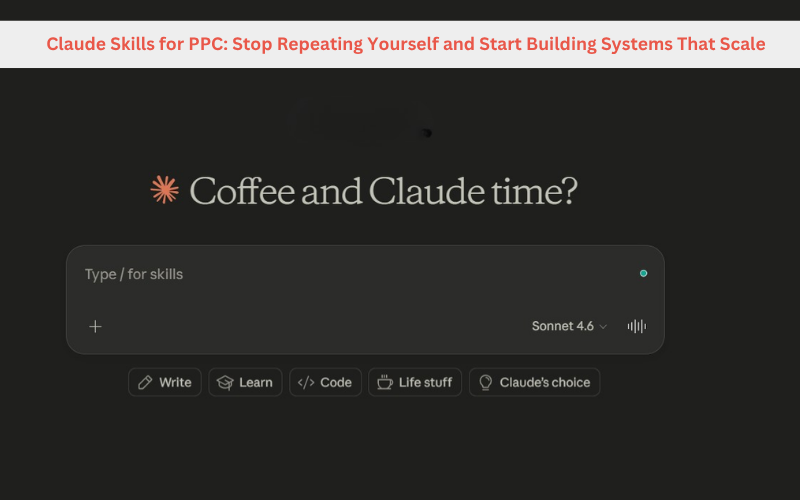
A Claude Skill is a saved, reusable set of instructions that tells the AI exactly how to perform a task. A
specific task every single time, in the same way, with the same output format.
Think of it as the difference between giving a new employee verbal instructions each morning
versus handing them a documented standard operating procedure (SOP). One produces variable
results. The other produces reliable ones.
Technically, a Skill is stored as a Markdown (.md) file. It contains the logic, steps, decision rules,
and output format for a specific workflow. You can store this file locally for privacy, or in a shared
team repository so everyone operates from the same playbook.
When you connect a Skill to Claude, the AI reads it automatically when you assign it a relevant
task. You don’t have to re-explain anything. You don’t have to prompt it to “remember” your
preferences. The Skill handles the instructions so you can focus on the outcome.
The key difference from ChatGPT Custom Instructions: Custom Instructions set a general
tone and context for all conversations. A Claude Skill is task-specific and procedurally precise. It
defines how a task gets done, the steps, the logic, the output format, not just the general vibe
of how you’d like the AI to behave.
Claude is particularly useful for structured, repeatable workflows, but different AI platforms have different strengths. Our AI tools comparison explores where Claude, ChatGPT, Gemini and other platforms fit into modern marketing workflows.
Why This Matters Specifically for PPC
PPC management is, at its core, a series of repeatable analytical workflows:
- Review search term reports for wasted spend
- Identify underperforming ad creatives
- Audit account structure for inefficiencies
- Reallocate budget based on performance data
- Generate and test new ad copy variations
Every one of these is a process. Every process can be documented. Every documented process
can become a Skill.
When your workflows live inside Skills rather than inside your head (or inside a chat box), three
things happen:
- Junior team members can execute senior-level processes because the Skill encodes
the expertise, not just the instructions. - Clients get consistent quality regardless of who on the team runs the analysis.
- You become the designer of the system, not the person running it every day.
This is the shift from PPC practitioner to PPC architect. And it starts with your first Skill.
How to Build Your First PPC Skill
Building a Skill doesn’t require coding knowledge or a technical background. Here’s a
straightforward process:
Step 1: Choose a Repeatable Task
Start with something you do regularly, and that has a clear, predictable output. Good candidates:
- Weekly search term analysis
- Ad copy generation for a specific industry vertical
- Quality Score audit
- Competitor ad monitoring
- Negative keyword identification
Step 2: Document the Process
Write down the steps you take when doing this task manually. Be specific:
- What data do you look at?
- What criteria do you use to make decisions?
- How do you format the output?
- What are the edge cases and exceptions?
- This documentation becomes the raw material for your Skill.
Step 3: Ask Claude to Structure It
Take your documentation and ask Claude to convert it into a properly structured Skill file.
Claude uses a Skill-building protocol that ensures your output follows best practices and the
correct Markdown format. You’ll receive a .md file you can save and reuse.
Step 4: Test and Refine
Run the Skill against a real task and check the output. Is the format consistent? Does the logic
hold? Are there gaps in the decision rules? Refine the Skill until the output matches your
professional standard.
Step 5: Deploy and Share
Add the Skill to your Claude account. If you’re working with a team, store it in a shared repository
(GitHub works well) So everyone runs from the same version.
One important rule: Don’t create two Skills for the same task type. If you have two “Google Ads
Audit” Skills, Claude may choose between them unpredictably, which defeats the purpose of the
whole system. One task, one Skill.
The Real Power: Connecting Skills to Live Data
A Skill defines the logic. But logic without data is just theory.
The traditional workaround is to download a CSV from Google Ads, feed it to the AI manually,
and work with static data that’s already out of date. This works, but it’s slow, it’s manual, and it
puts you back in the execution loop you were trying to escape.
The modern approach uses Model Context Protocol (MCP), a standardized connection layer that can allow AI tools to connect with external data sources and systems. With an MCP connection, your Skill doesn’t wait for you to provide a file. It goes and gets the data
it needs when it needs it.
Here’s what that looks like in practice:
Without MCP (Static):
“Paste in your search term report as a CSV, and I will identify high-spend, zero-conversion
terms.”
With MCP (Dynamic):
“Pull the search term report for the last 14 days, identify terms with over $50 in spend and
zero conversions, and flag them for negative keyword application.”
The second version doesn’t require you to do anything except review the output. That’s not just
efficiency, that’s a genuine shift in your role from executor to overseer.
5 PPC Skills You Can Build Right Now
Here are five concrete Skill ideas for PPC professionals at any level, along with what they look like
like with and without live data connections.
1. Wasted Spend Identifier
What it does: Analyzes your search query report to surface terms that are consuming budget
without generating conversions or meaningful engagement.
Logic it encodes: Spend thresholds, conversion rate minimums, look-back window, match type
Recommendations for negatives.
Static version: You provide the CSV; the Skill returns a prioritized list of negative keywords
candidates.
Dynamic version (with MCP): The Skill pulls the data automatically, identifies the waste, and
Queue the negatives for your review before the application.
Why it matters for Canadian advertisers: Many Canadian PPC accounts run against US
competitors with higher budgets. Eliminating wasted spend isn’t optional; it’s how you stay
competitive on tighter margins.
Automation can help surface inefficiencies, but campaign fundamentals still determine whether those opportunities translate into better performance. For additional practical strategies, see these ways to reduce your Google Ads cost per click.
2. Ad Copy Generator by Funnel Stage
What it does: Generates Google Ads headlines and descriptions tailored to where a user is in the
buying journey awareness, consideration, or decision.
Logic it encodes: Character limits, RSA best practices, emotional triggers by stage, local
relevance signals (bilingual options for Quebec advertisers, province-specific references).
Static version: You provide the URL and target keywords; the Skill returns copy variations
organized by funnel stage.
Dynamic version (with MCP): The Skill identifies your lowest-performing ad assets, generates
replacements, and sets them up as ad experiments in the correct ad groups.
3. Account Health Audit
What it does: Runs a systematic check against a defined checklist, missing extensions, and low
Quality Scores, duplicate keywords, budget-limited campaigns, and poor landing page alignment.
Logic it encodes: Your agency’s or company’s audit standards, priority weighting for issues,
severity classifications.
Static version: Produces a formatted audit report with issues ranked by impact.
Dynamic version (with MCP): Identifies account issues and, where the required permissions and data are available, recommends remediation steps such as improving approved assets or flagging budget-related issues for review.
4. Competitor Gap Analysis
What it does: Compares your ad positioning, keyword coverage, and messaging against key
competitors identified in your account’s auction insights.
Logic it encodes: Impression share benchmarks, gap identification criteria, opportunity scoring.
Static version: You provide an auction insights export and ad previews; the Skill returns a
structured gap analysis with prioritized recommendations.
Dynamic version (with MCP): Pulls live auction insights data and generates the analysis on a
Schedule weekly, biweekly, so you always have a current competitive picture without lifting
a finger.
5. Budget Reallocation Engine
What it does: Reviews campaign performance and recommends or executes budget shifts
to move spend toward higher-performing campaigns.
Logic it encodes: Performance thresholds, minimum budget floors, ROAS or CPA targets, time
segmentation rules (day-of-week, seasonal factors).
Static version: Returns a recommendation document: “Reduce Campaign A by 15%, increase
Campaign B by 20%.”
Dynamic version (with MCP): Pulls current performance data, calculates the optimal
reallocation based on your encoded rules, and executes the budget changes directly in the
platform with a notification to you for oversight.
Moving From PPC Manager to PPC Systems Designer
There’s a career and business development dimension to this shift that’s worth naming directly.
The PPC professionals who will thrive over the next five years won’t be the ones who are best at
manually running analyses or writing prompts. They’ll be the ones who are best at designing the
systems that run those analyses automatically.
This is a different skill set:
- Process documentation: The ability to articulate exactly how a task is done, in a way that
Another person (or an AI) can follow without interpretation. - System architecture: Understanding how Skills, tools, data connections, and human
oversight layers fit together. - Quality standards: Defining what “good output” looks like precisely enough that it can be
evaluated without your personal judgment every single time. - Delegation and oversight: Knowing which decisions the system should make
autonomously, and which ones require your review.
These are leadership skills. They’re strategic skills. They’re exactly the kind of value that clients
and employers will pay more for, and they’re the direct result of committing to building
systems rather than running tasks.
Getting Started: Your First Week With Claude Skills
Here’s a practical first-week plan for incorporating Skills into your PPC workflow:
- Day 1–2: Identify your most repetitive weekly PPC task. Write down every step you take,
including the data sources, decision criteria, and output format you use. - Day 3: Bring that documentation to Claude and ask him to build a Skill from your SOP. Review the
output and test it against a real task. - Day 4: Refine the Skill based on any gaps or inconsistencies you notice. Run it a second time and
compare the outputs for consistency. - Day 5: Add the Skill to your Claude account. If you work with a team, share the .md file and
document which task it covers. - Week 2 and beyond: Identify your second-most-repetitive task and build Skill number two.
Continue until your core repeatable PPC workflows are documented and encoded.
The Bottom Line for Canadian PPC Advertisers
At OptiWeb Marketing, we work with businesses across Canada who need their ad spend to
work harder, not just run longer. For businesses that prefer expert campaign strategy and ongoing management, explore our PPC management services to see how OptiWeb approaches Google Ads, campaign optimization and conversion-focused paid search.
Claude’s skills represent one of the most practical advances in
AI-assisted PPC management available today. Not because they’re flashy, but because they’re
reliable. If you’re weighing Claude against other AI platforms for tasks like this, our AI tools comparison breaks down where each one excels.
They transform your expertise into a system. They turn your best workflows into something that
runs without you having to be present for every step. And they free you or your team to
focus on the strategic decisions that actually move the needle.
The question isn’t whether AI will change how PPC is managed. That’s already happening. The question is whether you’ll be the one designing the system, or the one still typing the same
prompt every Monday morning.
 Summary