If you’ve ever updated your Google Business Profile (GBP) only to see changes stuck as Pending for weeks with no update showing live, you’re not alone. This is a frustrating issue many business owners face, especially when updating critical details like hours, services, or contact info.
In this blog, we’ll explain:
-
Why Google Business Profile edits get stuck
-
What “pending” really means
-
Real-world causes of stuck edits
-
How to troubleshoot and fix them
-
Best practices to avoid delays in the future
Why Changes to Your Google Business Profile Get Stuck
When you make edits to your Google Business Profile, Google doesn’t instantly apply them. Instead, they go into a review queue. This can involve:
1. Automated or Manual Review Process
Google evaluates changes to ensure accuracy and compliance with guidelines. Typical reviews may take minutes, but at times can stretch to several days or weeks.
2. Pending Verification or Technical Glitches
Several users report edits stuck in “loading” or “confirming” loops, especially around holidays or system overloads.
3. Verification Loops or Profile Lock
If Google isn’t confident about the profile’s verification status or if conflicting data appears, edits may be frozen in review indefinitely.
4. Make edits outside peak holiday periods to reduce system load
Avoid making multiple major changes to your Business Profile at the same time, especially to core details such as your business name, address, or primary category.
Keeping your business information accurate and consistent is also an important part of a broader local SEO strategy, especially when your website, business listings, and Google Business Profile need to send consistent local signals.
What Does “Pending” Really Mean?
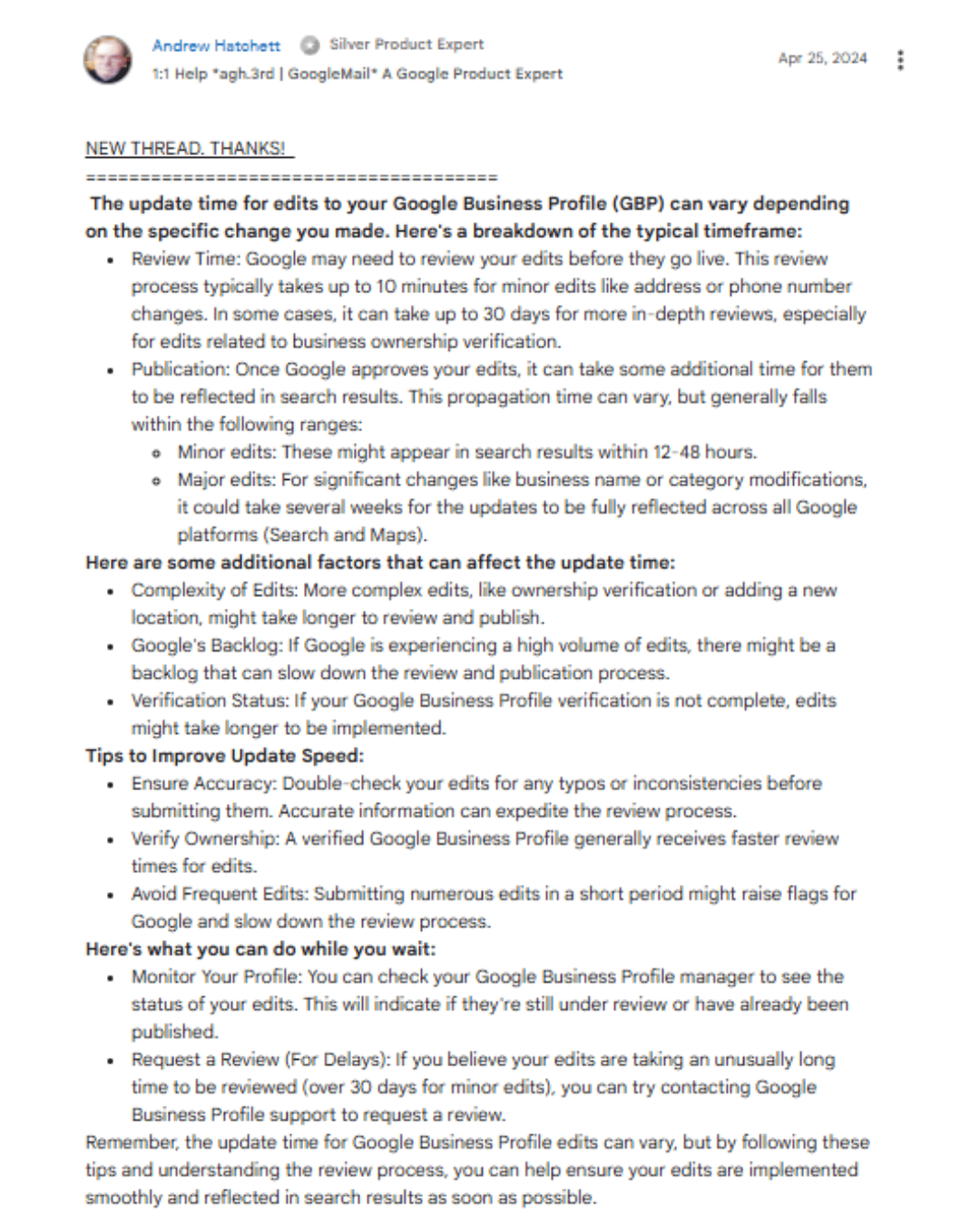
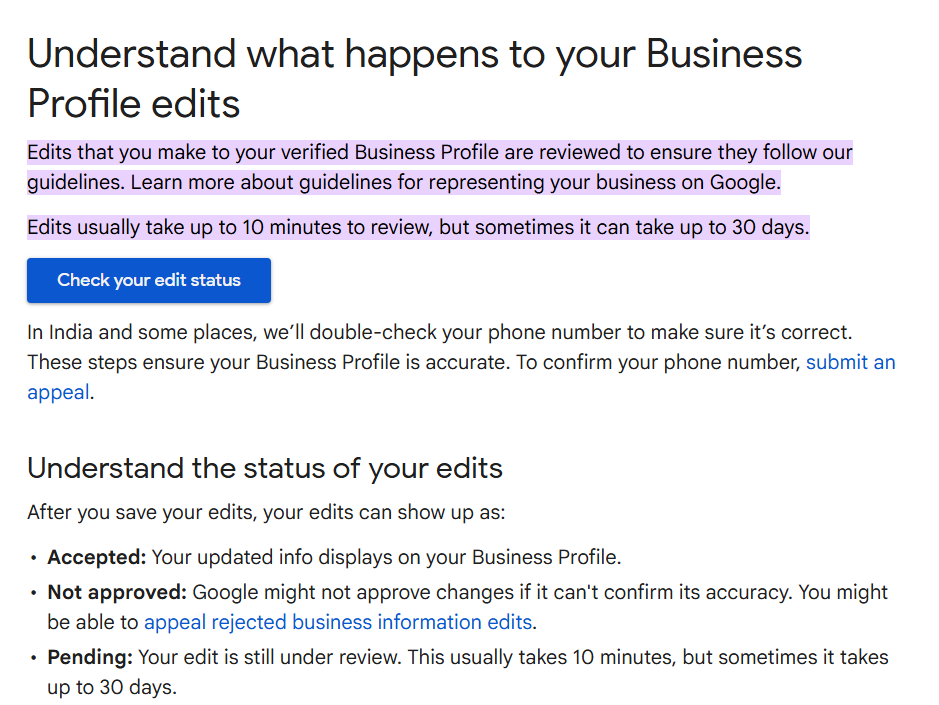
When edits show as Pending, they are under review by Google to check if they follow business profile policies. Google’s own guidelines say edits typically take about 10 minutes, but sometimes up to 30 days for review.
This delay isn’t necessarily a system error; it’s often part of Google’s quality checks.
Common Reasons Edits Stay Pending for Too Long
Here are the key causes reported by users and help forums:
1. Profile Review or Manual Verification
Major edits, like changes to address or categories, trigger deeper review cycles and can take longer to process.
2. Verification Issues
If your profile is still under some verification status (email, postcard, video), edits won’t go live until that’s completed.
3. Browser or Device Glitches
Sometimes the interface simply gets stuck due to browser caching or outdated sessions, especially when you see infinite loading screens.
4. Conflicting Public Data
Google cross-references your business info with listings elsewhere online. If conflicting data exists, Google may delay changes to ensure the profile stays accurate.
5. Technical Errors from Google’s End
There are ongoing reports of backend bugs where the Confirm button or the save process doesn’t work, even after days of waiting.
Effective Ways to Fix Pending Edits
Here’s how to troubleshoot the stuck changes:
1. Wait It Out (But Monitor)
Often, edits are simply in the queue. Check back daily, especially for larger changes. Many profiles clear pending status within a few weeks.
2. Use Google Support Tools
From your GBP dashboard, use the Support or Help feature to submit a request describing the issue. Google may manually approve the edit.
3. Try a Different Browser or Clear Cache
If edits show “loading” forever, clearing the cache or switching to incognito mode can fix interface problems.
4. Ensure Your Business Info is Consistent Across the Web
Conflicting information across directories like Yelp, Facebook, or Yellow Pages can slow reviews. Ensure consistency everywhere your business is listed.
5. Edit Incrementally
Instead of changing multiple fields at once, make one change and wait for approval before submitting more.
What to Do If Edits Are Still Pending After Weeks
If weeks have passed and nothing has changed:
- Contact Google Business Profile support directly
- Provide additional proof (business website screenshots, official documents)
- Ask Google to escalate or request video verification if needed
This is often the only way to break a long review cycle.
Tips to Avoid Future Pending Issues
- Verify your GBP fully before making edits
- Enable email notifications so you can act on suggested edits
- Make edits outside peak holiday periods to reduce system load
- Keep all public listings consistent and updated
Final Thoughts
Google Business Profile edits showing as Pending or endlessly loading isn’t always a profile problem; it’s often a review process designed to keep business info accurate for users.
As Google Maps continues to evolve with AI-powered discovery, keeping your business information accurate and complete is becoming even more important. Learn more about how Google Gemini in Chrome and Maps is changing search and SEO.
Also Read: The Ultimate Local SEO Hacks for Businesses
 Summary